
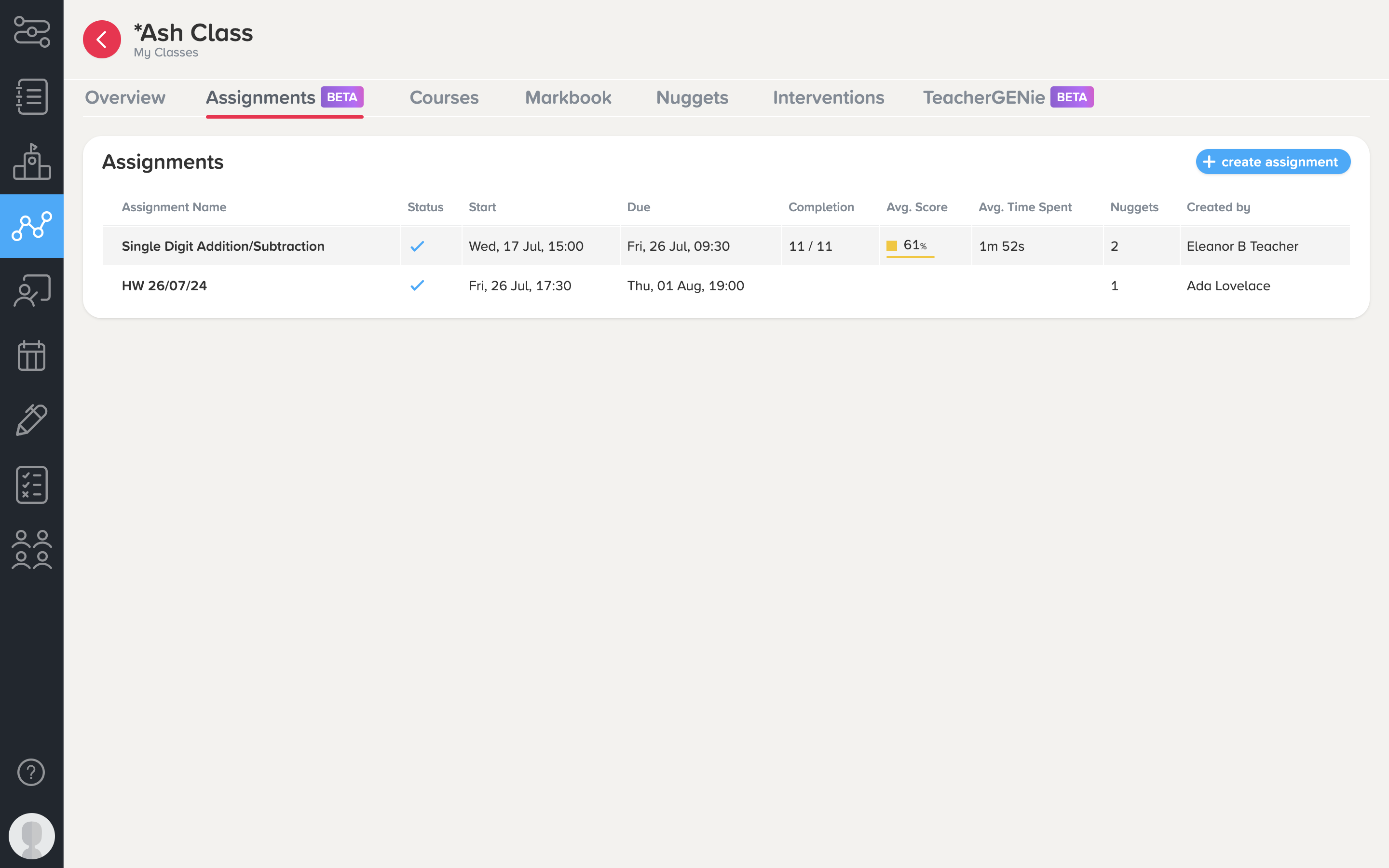
The Assignments tab is where you can:
-
Set up assignments for your class
-
Edit existing assignments, including those made by other teachers
-
View overall class progress in an assignment, along with individual student results
Note: The Class Assignments page will only display assignments that have been set for your whole class. If you have assignments set to specific students / groups of students, you will need to visit the main Assignments tab in your Teacher Dashboard to view these.
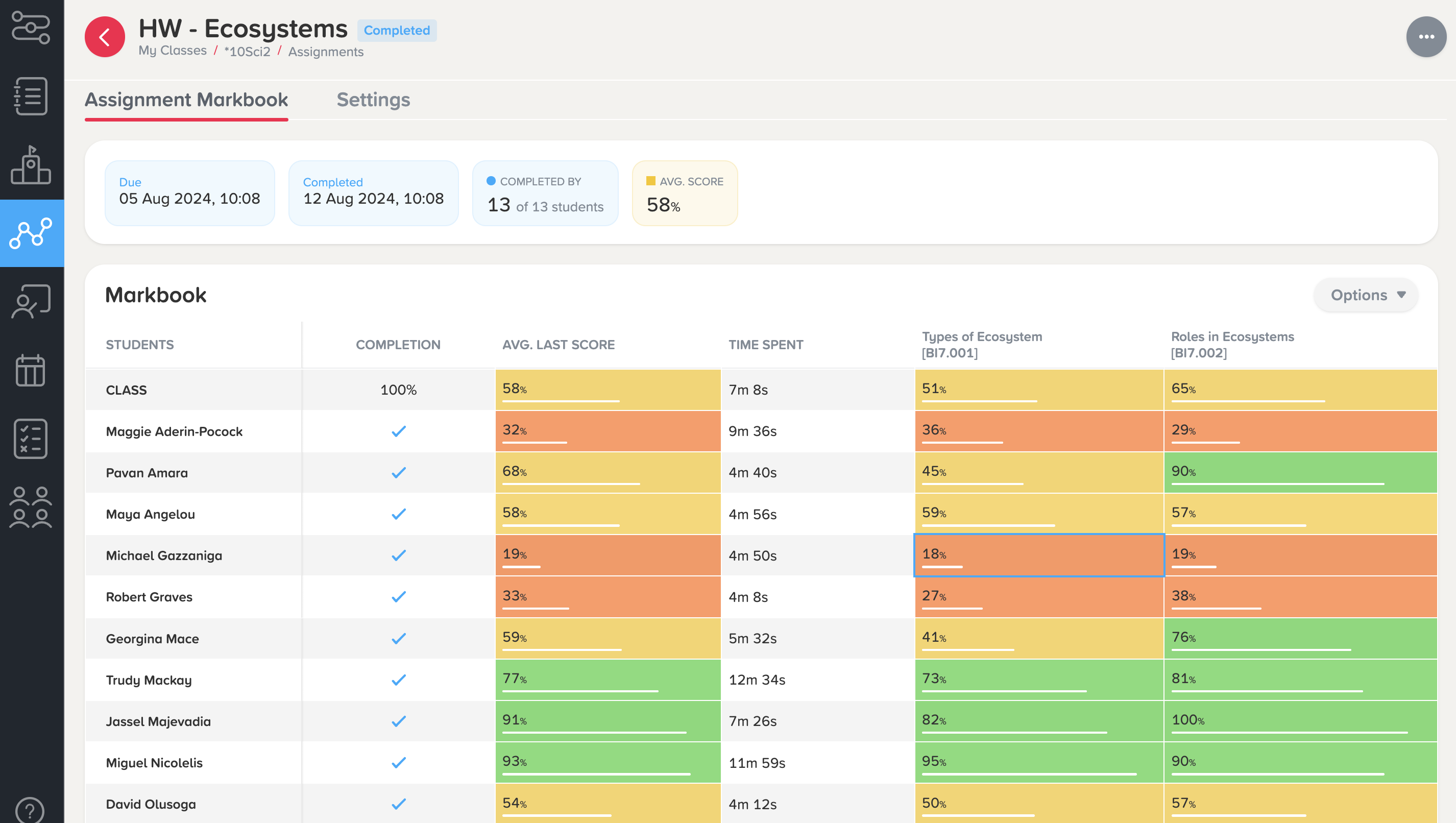
Click into an assignment to be taken to the Assignment Markbook, where you can view average scores for each student, their time spent on the assignment, and a more detailed question-level analysis of how they answered in each nugget.
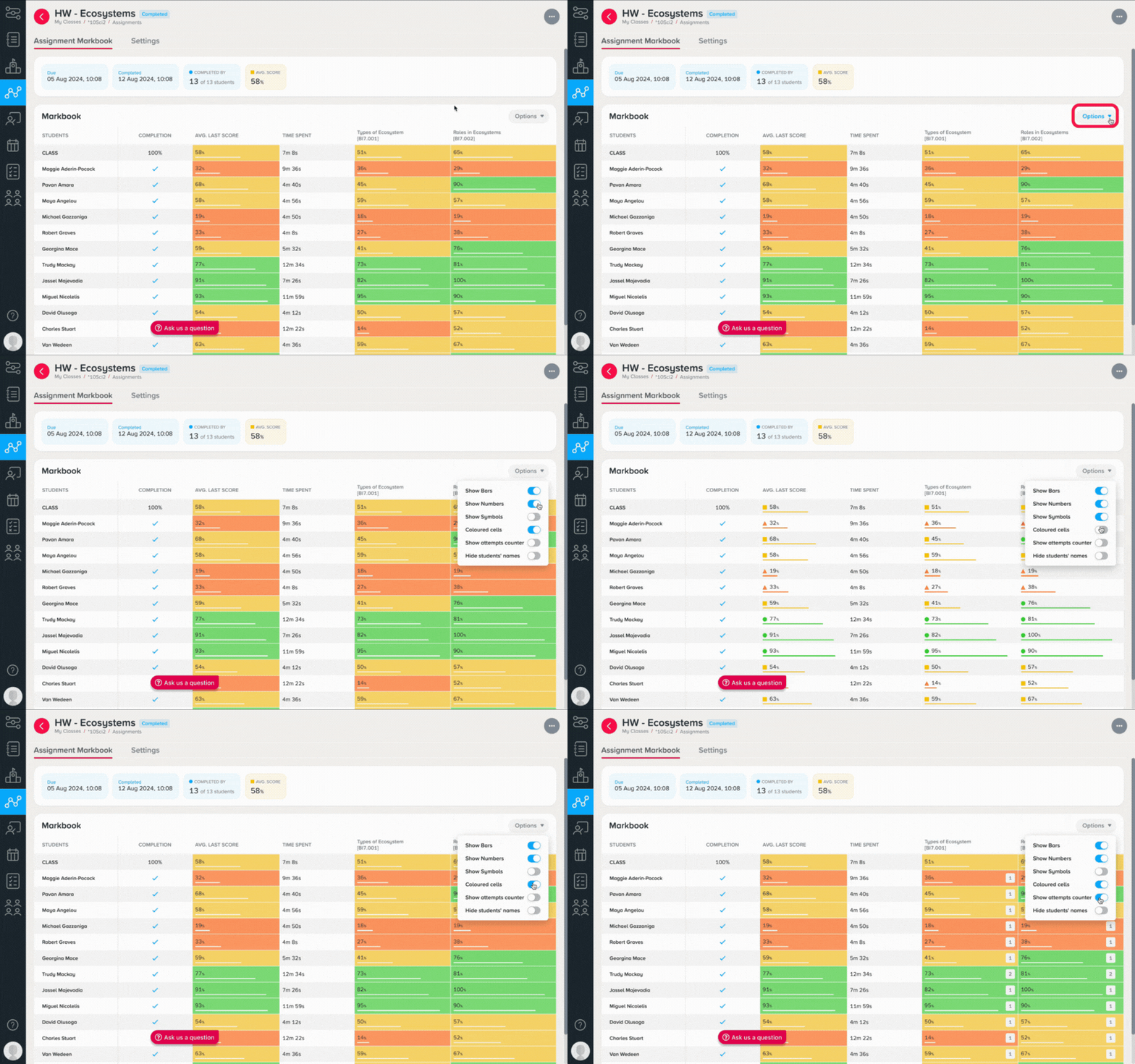
You can also adjust how you view the Markbook by clicking on the Options dropdown menu.
Learn more about creating, editing, and reporting on assignments here.