
TABLE OF CONTENTS
- Why use Maths Prep?
- How it works
- Designed with safety in mind
- Are these real past paper questions?
- How is it different from asking an AI chatbot?
Exam practice that marks the method, not just the answer
Maths Prep GENai gives students exam-style GCSE and IGCSE maths questions for their exam board and tier. Students show their working, AI marks it against the mark scheme in seconds, and they see exactly which marks they earned, which they missed and how to pick them up next time.
For you, there’s nothing to set and nothing to mark.
Why use Maths Prep?
|
Credit for the method, not just the answer Students earn method marks for correct working, even when they slip at the last step, just as they would in the exam. |
Feedback on every mark, in seconds Students see which marks they earned and why, the step that cost them, and what to do differently next time. |
|
Questions that match their exam Exam-style questions for their exam board and tier, written by CENTURY’s curriculum team. |
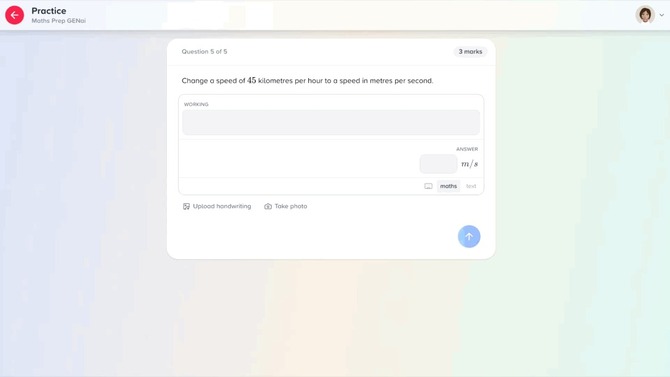
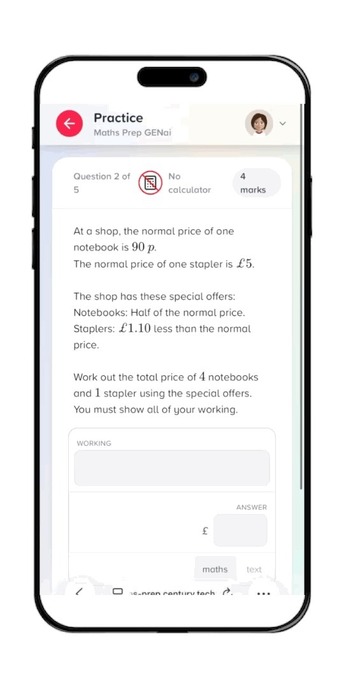
Pen and paper welcome Students can type their working, or write it on paper and upload a photo. It works on phones, tablets and computers. |
|
Nothing to set, nothing to mark Add students to a room and they can practise whenever they like. |
See how they’re getting on Every attempt is on the student activity page, with the student’s working, marks and feedback, so you can see who’s practising and how they’re getting on. |
See it in action
Take a 3-mark question on grouped data: estimate the total weight of 40 packages from a frequency table. A student picks the right midpoints and multiplies each by its frequency correctly, then slips when adding up and writes 16,000 g instead of 16,600 g.
|
Answer-only marking |
Maths Prep GENai |
|
|
Mark |
0 out of 3 |
2 out of 3 |
|
Why |
The final answer is wrong. |
Both method marks for correct working. One addition slip costs the accuracy mark. |
|
What the student learns |
Only that they got it wrong. |
Which step cost them, and what to do next time: add the products one at a time, then check the total a second way. |
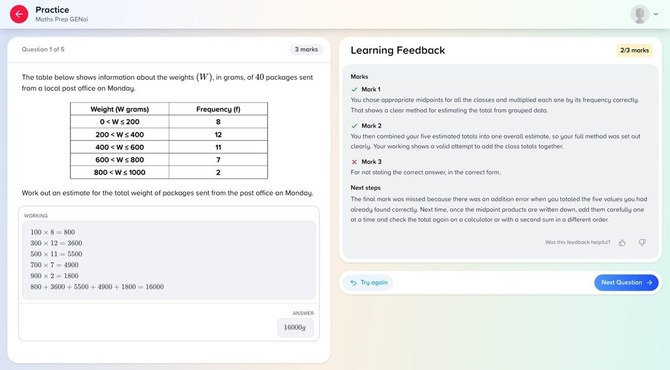
Learning Feedback explains each mark. The next steps focus on the one that was missed.
How it works
1. Create a room
Open the Maths Prep tab on your Teacher Dashboard, create a room for an exam board and tier, and add students one by one or as whole classes. It takes about five minutes. Step-by-step guide: Maths Prep GENai: Rooms.
2. Students practise
Students open Maths Prep from their My Path page in CENTURY and start revising. After each answer, they can select ‘Try again’ or move on to the ‘Next Question’.
3. See how they’re getting on
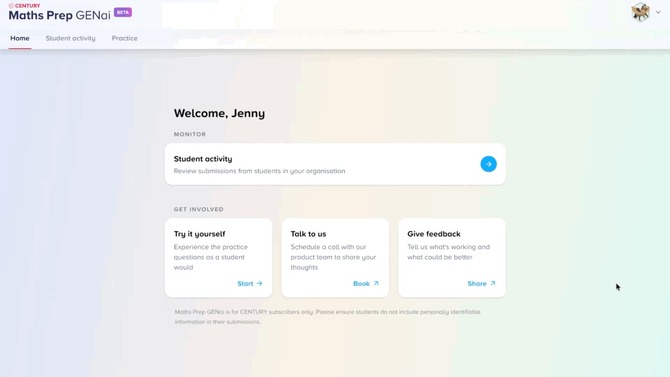
Open the student activity page in the Maths Prep tab to see every attempt in your organisation, most recent first. Open any attempt to see exactly what was submitted and how it was marked.
Designed with safety in mind
Schools need to be confident in any AI their students use. Maths Prep is built with that in mind.
- You control access. Only students a teacher has added to a room can use Maths Prep.
- No open-ended chat. Students answer exam questions and get feedback on their maths. There’s no conversation with the AI.
- You can see what the AI says. Every attempt and its feedback is on the student activity page, which all teachers in your organisation can see.
- Safeguarding checks built in. If an attempt meets our safeguarding thresholds, it gets no AI marking or feedback. Instead, it’s highlighted on the student activity page, which you can filter to show just those attempts, and the student is told their teacher can see it.
Who it’s for
Students preparing for GCSE or IGCSE maths, whether they’re in Key Stage 4, resitting GCSE maths at college or studying IGCSE at an international school, and the teachers supporting them. Questions are available for:
|
Exam board |
Qualification |
Tiers |
|
Pearson Edexcel |
GCSE Mathematics |
Foundation and Higher |
|
AQA |
GCSE Mathematics |
Foundation and Higher |
|
Pearson Edexcel |
International GCSE Mathematics A |
Foundation and Higher |
|
Cambridge |
IGCSE Mathematics |
Core and Extended |
FAQs
Are these real past paper questions?
No. CENTURY’s curriculum team writes new questions in the style and format of each exam board’s papers, so students get authentic exam-format practice.
How is it different from asking an AI chatbot?
Students do the thinking first: they work the question out, then get feedback on what they did, rather than asking for the answer. And every question has a mark scheme in the style of their exam board, so they practise for the exam they’ll actually sit.
Is the AI marking always right?
It’s designed to follow the mark scheme, but no automated marking is perfect. Students can flag any mark they disagree with, and our team reviews flagged marks to keep improving the questions and marking.
Can students answer questions that need a graph or diagram?
Not yet. Questions that need a drawn graph or diagram aren’t included at the moment.