
If you're looking for a specific nugget to study, follow these steps:
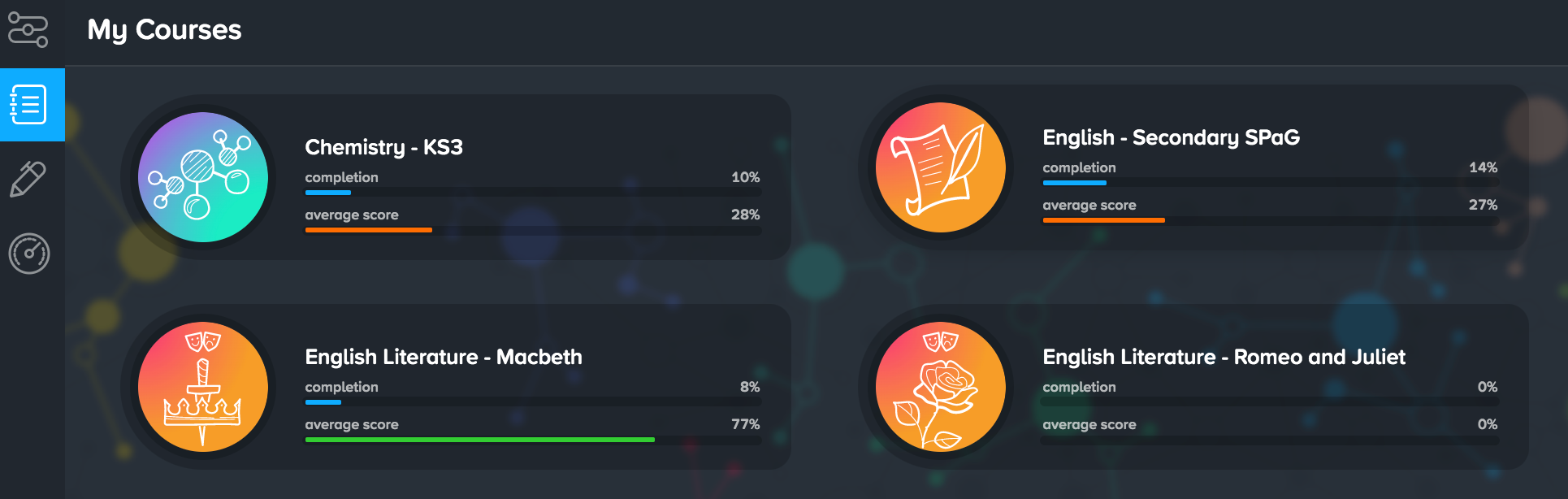
1. Click into the My Courses tab, then choose the course you’d like to work on.
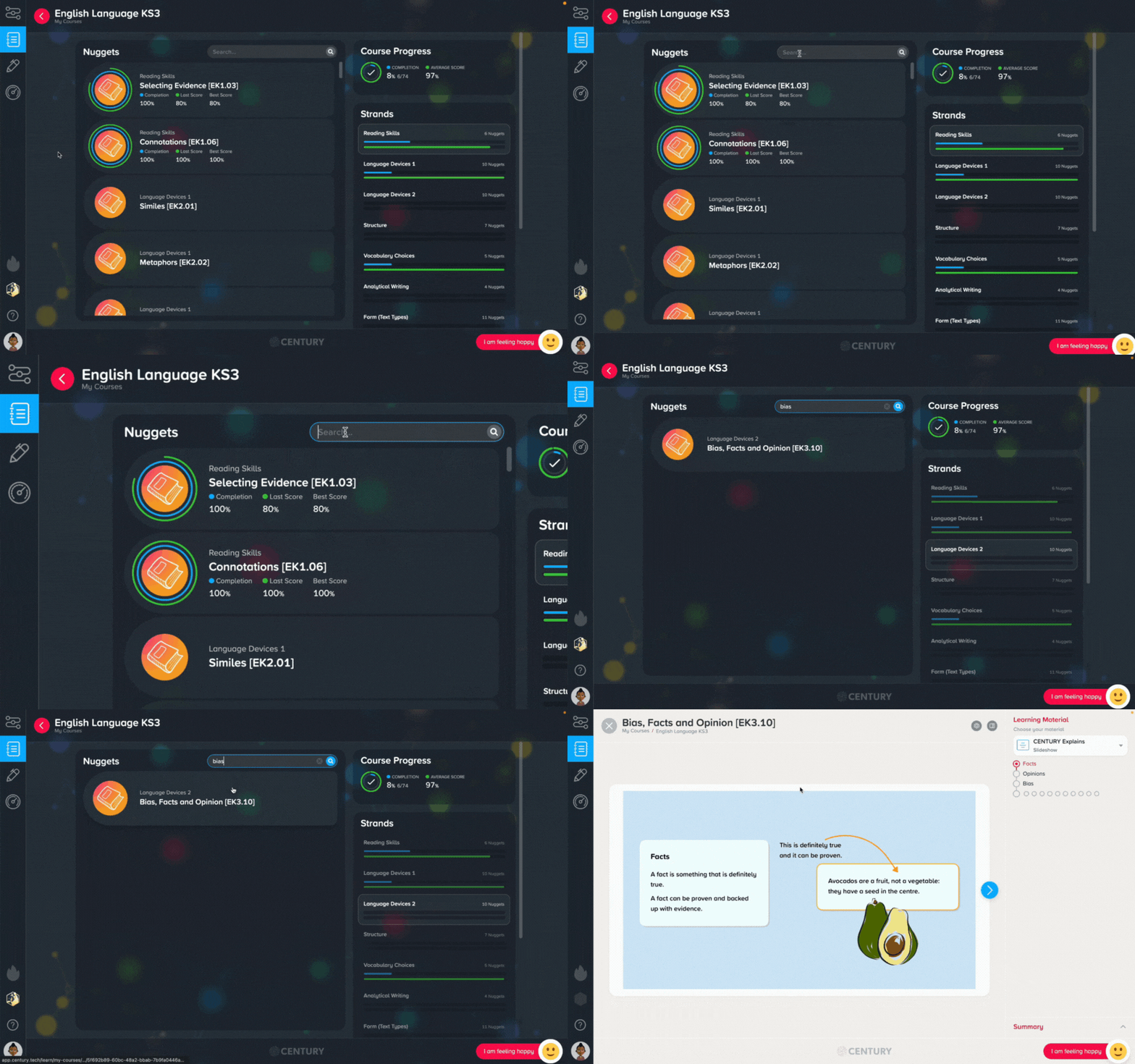
2. The Course page shows a list of every nugget available in the course. Use the search bar in the top right to find a specific nugget.
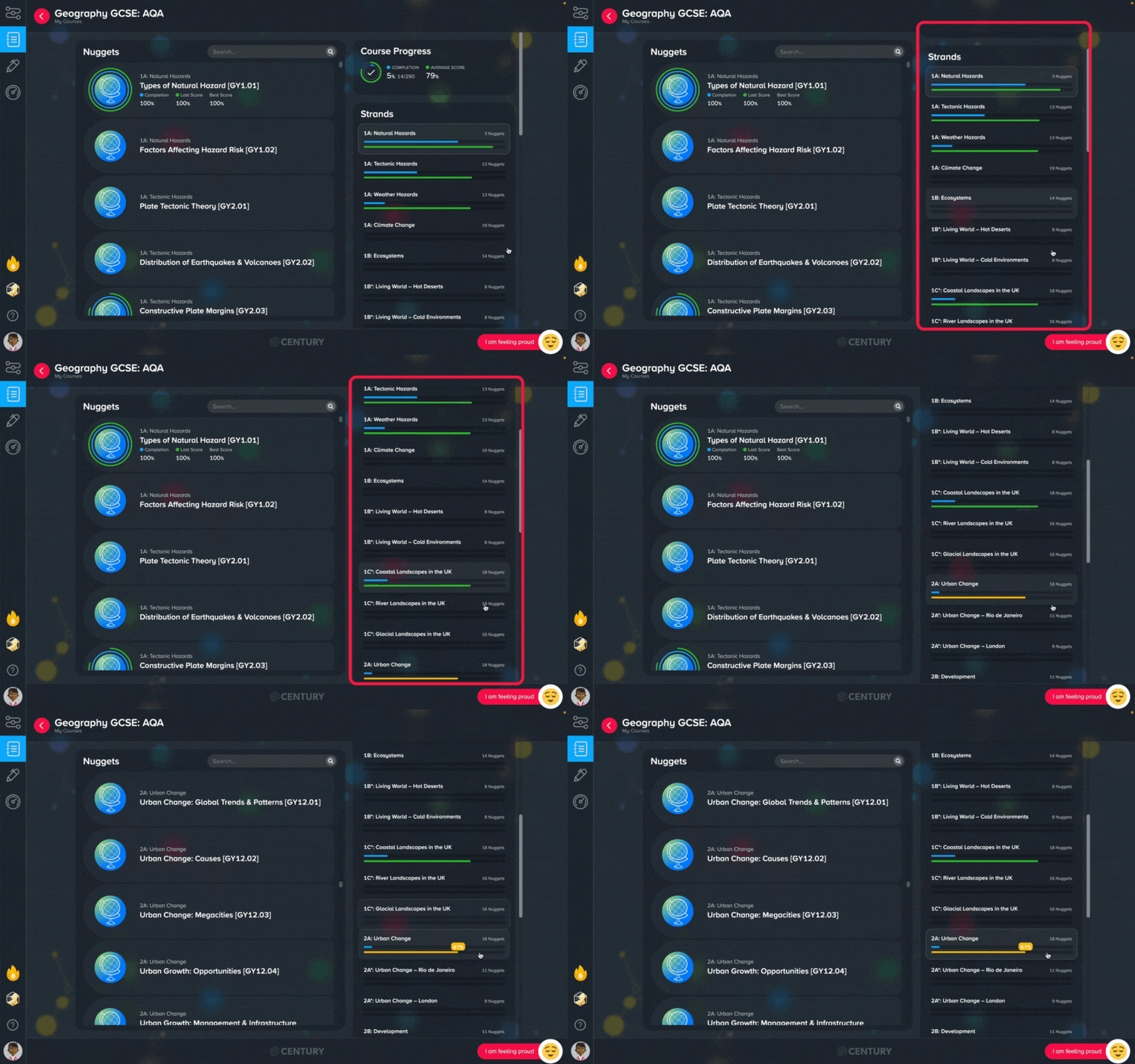
3. You can also use the Strands list on the right to look for nuggets within a certain topic.
If you’re not sure which nugget to tackle next, head to your My Dashboard page for personalised recommendations and guidance.