
TABLE OF CONTENTS
- Introduction to the Checkpoints
- What do the Checkpoints assess?
- Who can complete them?
- When to use the Checkpoints
- Understanding your reports
- Technical manual
- Getting started
- FAQs
- Need more help?
Introduction to the Checkpoints
Students must be safe, confident and think critically in an increasingly digital world, especially when engaging with AI. To support this, our Checkpoints help you pinpoint gaps in knowledge and skills in digital citizenship and AI literacy.
The Checkpoints are short, auto-marked, multiple-choice assessments. They give a snapshot of students’ understanding and show strengths and areas for improvement, so you can target your teaching. Each Checkpoint has 25 questions and takes roughly 20–25 minutes.
What do the Checkpoints assess?
Each Checkpoint covers four topics:
- Information & Data Literacy
- Understanding & Interacting with AI
- Communication & Collaboration
- Digital Security
There are multiple Checkpoint versions. They assess the same content with different questions, so you can re-assess students.
Who can complete them?
The Checkpoints are accessible to a large range of students. They have been designed with an average reading age below 9 years. With this in mind, you can decide who sits a Checkpoint.
When to use the Checkpoints
You can easily re-assess students throughout the year with a different Checkpoint version to track change over time.
Understanding your reports
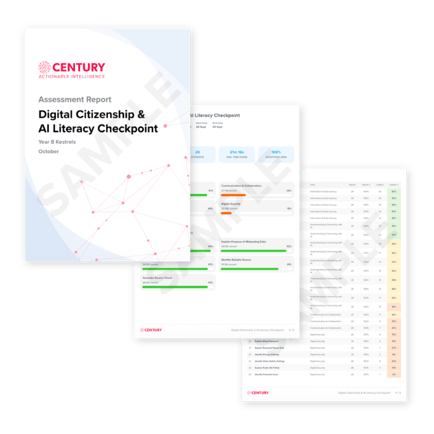
CENTURY automatically generates a report for each student and for a whole cohort, available as soon as students finish. At a glance, you can see how students performed in each topic and on each question, their strengths and areas for improvement, and the recommended CENTURY nuggets to assign next, all without any marking on your part.
To find out more about interpreting these reports, please click here.
Technical manual
The team at CENTURY have written a detailed technical manual for the Digital Citizenship & AI Literacy Checkpoints, which contains information on how they were developed, their validity, how to interpret results, and their limitations. Please click here to view the manual.
Getting started
You'll find the Checkpoints in the Assessments area of CENTURY. Learn how to set them to students in just 2 minutes here.
FAQs
Are the questions the same in each Checkpoint version?
No. Each version assesses the same content with different questions.
Can students sit the same Checkpoint twice?
We recommend using a different Checkpoint each time, so results reflect learning rather than memory of the questions.
Is the score compared with national results?
Not currently. It shows performance against the content assessed.
From which CENTURY course are nuggets recommended?
Currently, nugget recommendations come from our Digital Skills Secondary course. All of the Checkpoint questions will be linked to nuggets from our upcoming Digital Citizenship & AI Literacy course.
Need more help?
Contact our support team at support@century.tech