
Note: To activate and deactivate assessments, you will require a teacher account with manager permissions. Please reach out to your Account Manager or support@century.tech for more information, or to get the right permissions added to your account.
After creating an Assessment Cohort within Class Admin, the Assessments box at the top of the cohort page will show the assessments available to learners. To allocate an assessment to the cohort, click the ‘Activate’ button.
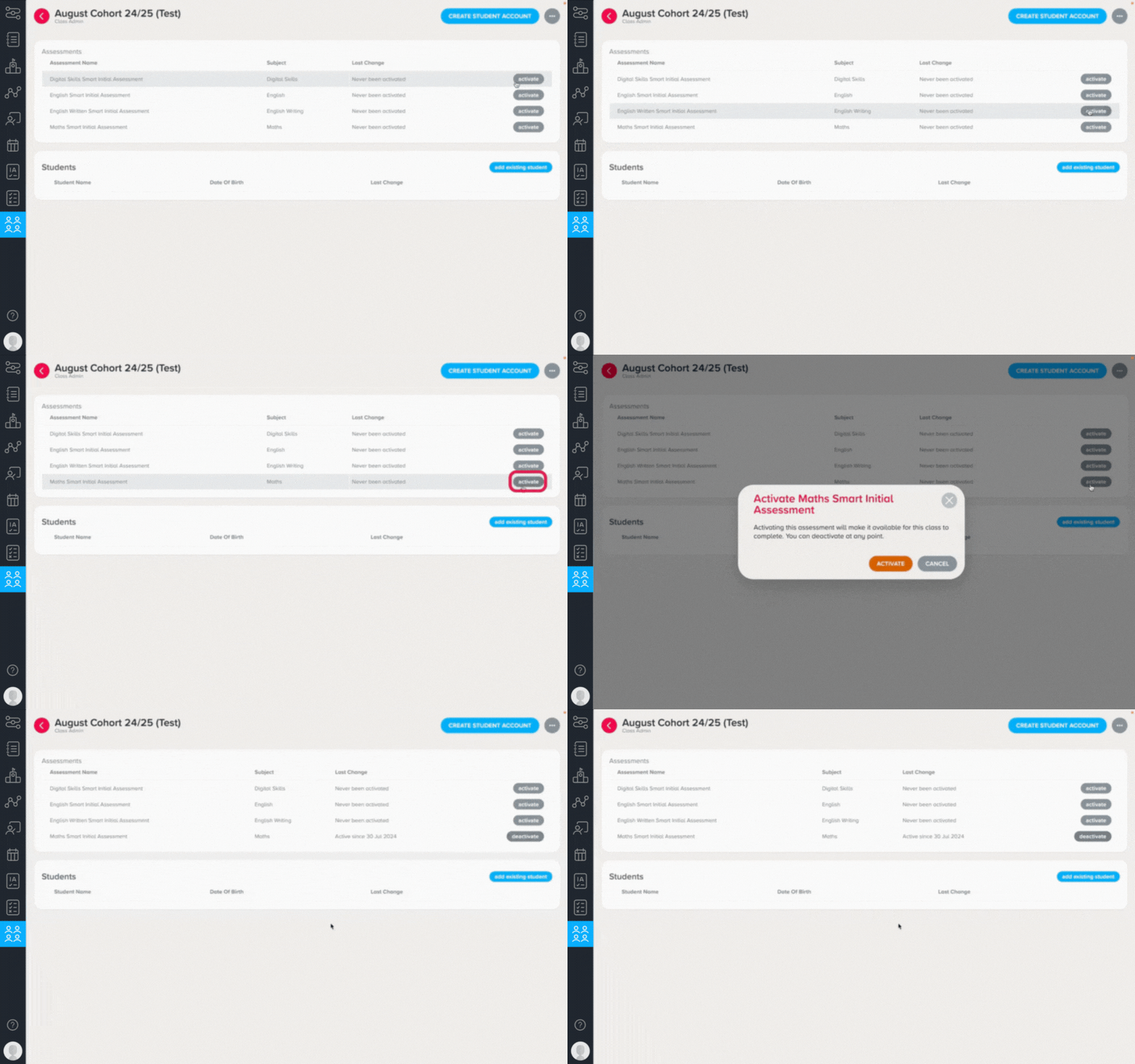
The assessment will instantly appear on their My Path page for learners listed in the cohort and they will be able to get started.
If the assessment period has ended and you wish to revoke learners’ access to an assessment, simply click ‘Deactivate’.
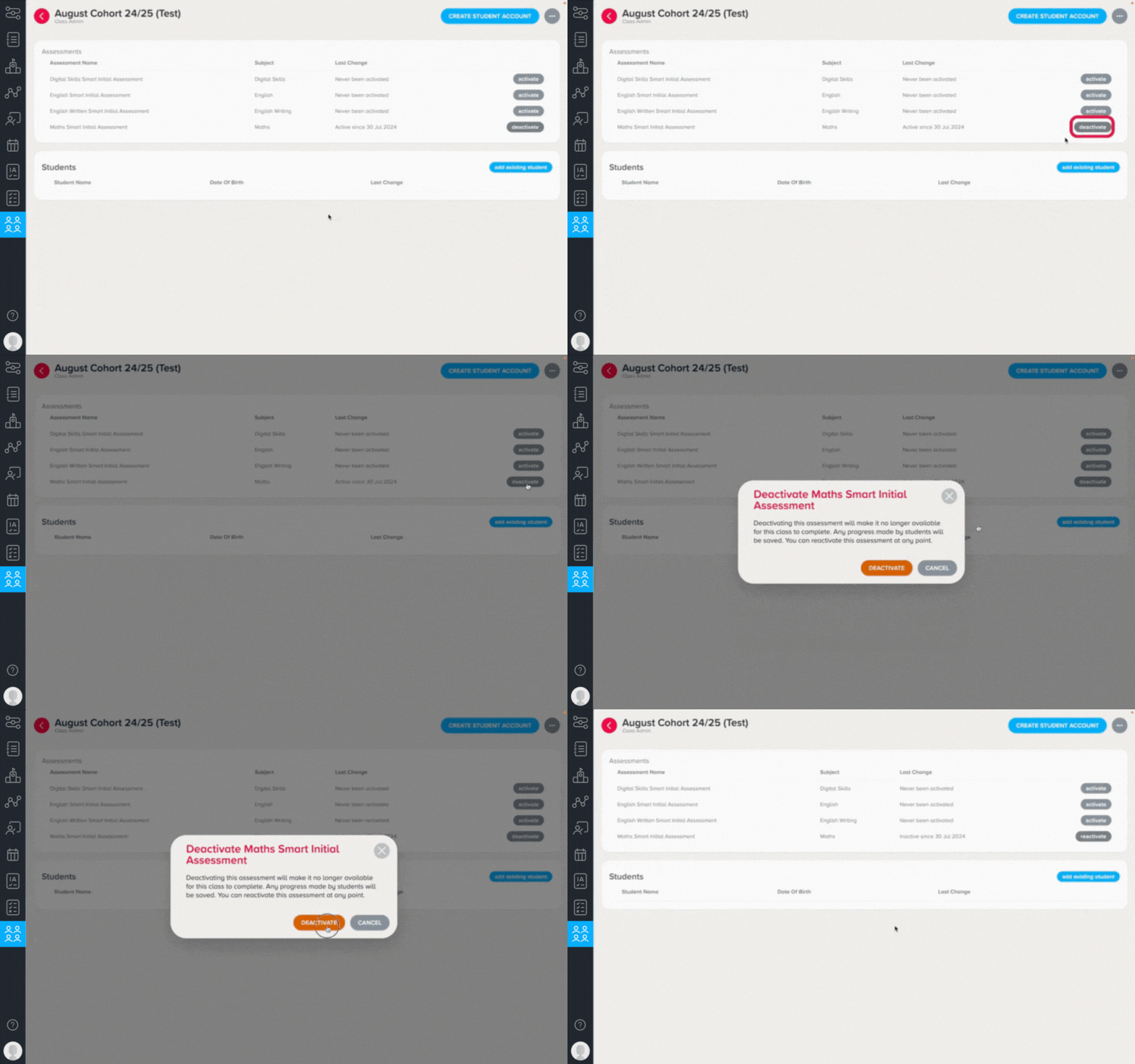
If learners in the cohort had made progress in the assessment but didn't complete it, their work will be saved. The assessment can be reactivated again so that they can complete it at a later date.
Any learners that completed the assessment will no longer see it on their My Path page, regardless of whether it has been activated or deactivated for them.